YouTube Looper for AB Repeat and Practice
Paste a YouTube URL, set A and B points, adjust speed, mirror dance videos, or add sentence pauses for focused practice.
Loop Builder
Paste a YouTube URL to start looping
Paste a video, drag A and B on the timeline, then play or share the loop.

How to Practice Guitar SLOWLY to get Better FASTER
Demo from Relax and Learn Guitar. Click to play it, or paste any YouTube link to replace it.
Advanced options Modes, mirror, loop count, fine tune
Practice modes
Fine tune
Exact speed
Practice options
Recent loops
Current loop
How to Practice Guitar SLOWLY to get Better FASTER
15.0s - 45.0s · 1x
Copy or share the exact loop you are editing.
Practice modes
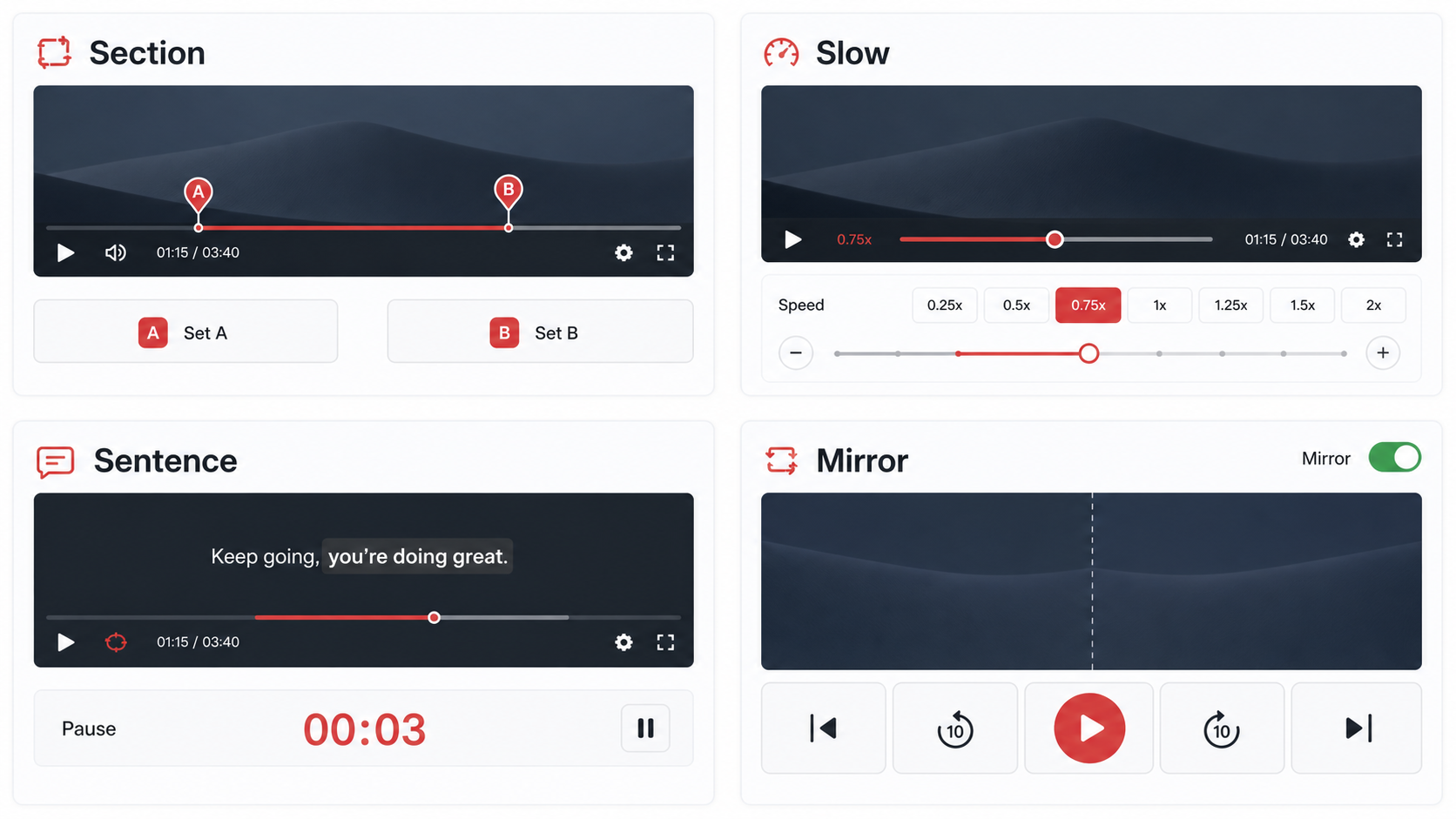
Four ways to practice with the same YouTube looper
The homepage covers the big YouTube loop intent, but the workflow is shaped around practice. Each mode has its own focused page and a different default tool state.
How it works
How to use YouTube Looper for AB Repeat and Practice
Paste a YouTube URL or video ID and load the player.
Use Set A and Set B to mark the practice section, then fine tune the timestamps.
Choose a practice mode, adjust speed or mirror settings, then copy a shareable loop link.
Use cases
Practical ways to use YouTube Looper for AB Repeat and Practice
Most repeat tools stop at replaying a video. YTLooper is organized around practice: set a short loop, slow it down, add a pause, mirror a dance clip, then share the exact section with the same settings.
Musicians
Repeat solos, riffs, chord changes, drum fills, and short tutorial sections until the timing feels natural.
Language learners
Loop one sentence, add a pause after each repeat, and shadow the rhythm before moving to the next line.
Dancers
Mirror choreography, slow down transitions, and use large mobile controls while practicing beside the screen.
Students
Review a single step in a lecture, walkthrough, or online course without dragging the timeline repeatedly.
Coaches and teachers
Share a precise timestamp range with students so everyone reviews the same short section before class.
AB section loop
Set precise A and B points and keep the player inside that range.
Speed control
Use 0.25x to 2x, including 1.1x and 1.75x options, for progressive practice.
Full video or section
Loop a selected A/B range, or switch to full-video repeat when the whole lesson needs replay.
Share exact loops
Copy a clean URL that restores video ID, timestamps, speed, mode, and mirror state.
Recent loops
Save recent practice sections in the browser so common loops are easy to reopen.
Tips and related tools
Make each repeat easier to practice
- Keep practice loops short enough that every repeat has a clear goal.
- Use a short pre-roll when you need context before the hard section starts.
- Share clean page links in internal content; reserve parameter URLs for user-created loop sharing.
- If a video will not play, test another embeddable YouTube video before changing your loop settings.
- For long lessons, create several short loops instead of one large range so each repeat has a purpose.
Loop part of a YouTube video
Repeat a single section with start and end points.
YouTube AB loop
Fine tune A and B markers for precise practice.
Slow down YouTube video
Practice at 0.25x to 2x without leaving the loop.
Repeat YouTube sentence
Loop one sentence and add a pause for shadowing.
Mirror YouTube video for dance
Flip choreography and repeat short practice sections.
FAQ
Common questions about YouTube Looper for AB Repeat and Practice
What is a YouTube looper?
Can I loop only part of a YouTube video?
Can I loop the whole YouTube video instead of a section?
How do I choose good A and B points?
Does YTLooper need a YouTube API key?
Can I share a loop with timestamps?
Will every YouTube video work?
Why does a YouTube video load but not play here?
Can I use this on a phone or tablet?
Does YTLooper download or save YouTube videos?
Is this affiliated with YouTube?
Ready to practice a precise YouTube loop?
Load a video, set the practice range, and keep the useful part on repeat.