Mirror YouTube Video for Dance Practice
Use dance mirror mode when you want the on-screen movement to match your left and right while you practice.
Loop Builder
Paste a YouTube choreography video to mirror and loop
Paste a video, drag A and B on the timeline, then play or share the loop.

HIP HOP Dance Choreography Tutorial for Beginners
Demo from FitLara Dance. Click to play it, or paste any YouTube link to replace it.
Advanced options Modes, mirror, loop count, fine tune
Practice modes
Fine tune
Exact speed
Practice options
Recent loops
Current loop
HIP HOP Dance Choreography Tutorial for Beginners
8.0s - 32.0s · 0.75x
Copy or share the exact loop you are editing.
Page-specific workflow
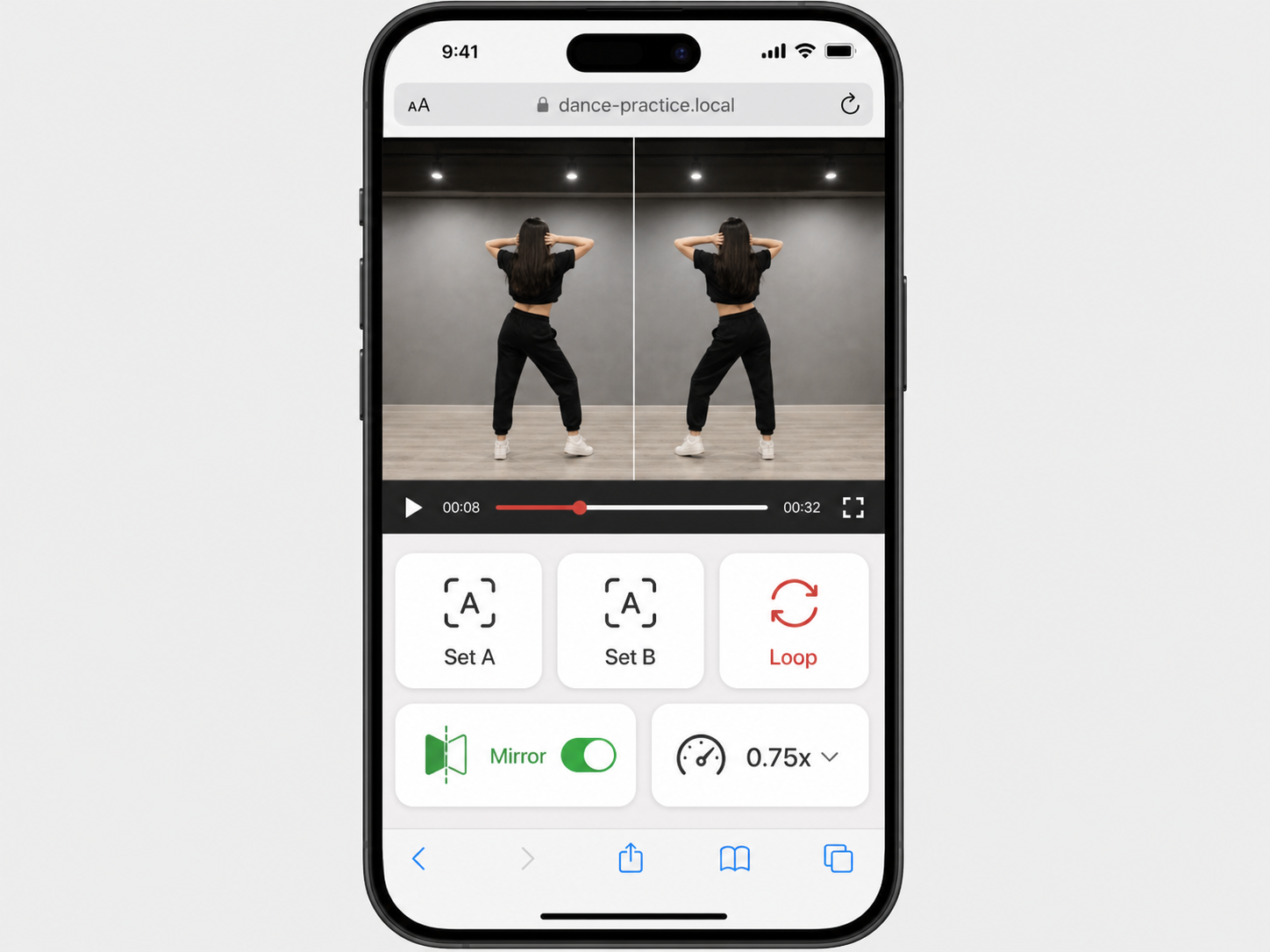
Mirror choreography and repeat the move that needs work
Dance practice often happens on a phone or tablet away from the desk. This page keeps the important controls large, lets you mirror the video, and repeats the difficult move in a short loop.
Mirror on
Flip the video so left and right match your practice view.
Slow to 0.75x
Learn the move before trying full speed.
Short move loop
Repeat one transition instead of the entire choreography.
How it works
How to use Mirror YouTube Video for Dance Practice
Load the choreography video and enable Mirror if it is not already on.
Set A before the move starts and B after the move finishes.
Slow the video, repeat the move, then turn speed back up once the direction feels correct.
Use cases
Practical ways to use Mirror YouTube Video for Dance Practice
Dance practice often happens on a phone or tablet away from the desk. This page keeps the important controls large, lets you mirror the video, and repeats the difficult move in a short loop.
Choreography tutorials
Mirror a teacher-facing video so your left and right match what you see.
Short transitions
Loop a footwork change, arm pattern, or count that keeps breaking.
Mobile practice
Use larger controls when the screen is across the room or on the floor.
Fitness classes
Mirror and repeat short movement combinations when the instructor is facing the camera.
Mirror toggle
Flip the embedded player horizontally for dance practice.
Large tap controls
The main loop and speed controls stay usable on small screens.
Short choreography loops
Repeat a single count, move, or transition without replaying the intro.
Slow mirrored practice
Keep mirror mode on while lowering speed for new footwork or arm patterns.
Tips and related tools
Make each repeat easier to practice
- Use mirror mode when the instructor faces the camera and you want to follow directly.
- Turn mirror off if the video is already recorded from behind the dancer.
- Set A one count before the move so your body can prepare before the repeat.
- Practice with shoes, floor space, and screen distance checked before looping a fast section.
- If left and right feel wrong, toggle mirror once and replay the same count before changing A/B points.
FAQ
Common questions about Mirror YouTube Video for Dance Practice
Can I mirror a YouTube video for dance practice?
Should every dance video be mirrored?
What does mirror video mean for choreography?
Can I slow down the mirrored video?
Can I loop only one dance move?
Can I turn mirror mode off after loading the video?
Can I share a mirrored dance loop?
Why does a mirrored video look backwards for text?
Is this useful for left-handed or right-handed practice?
Ready to practice a precise YouTube loop?
Load a video, set the practice range, and keep the useful part on repeat.