YouTube AB Loop
Use this page when precision matters: language timing, music phrases, choreography counts, or tutorial steps.
Loop Builder
Paste a YouTube URL for precise A/B repeat
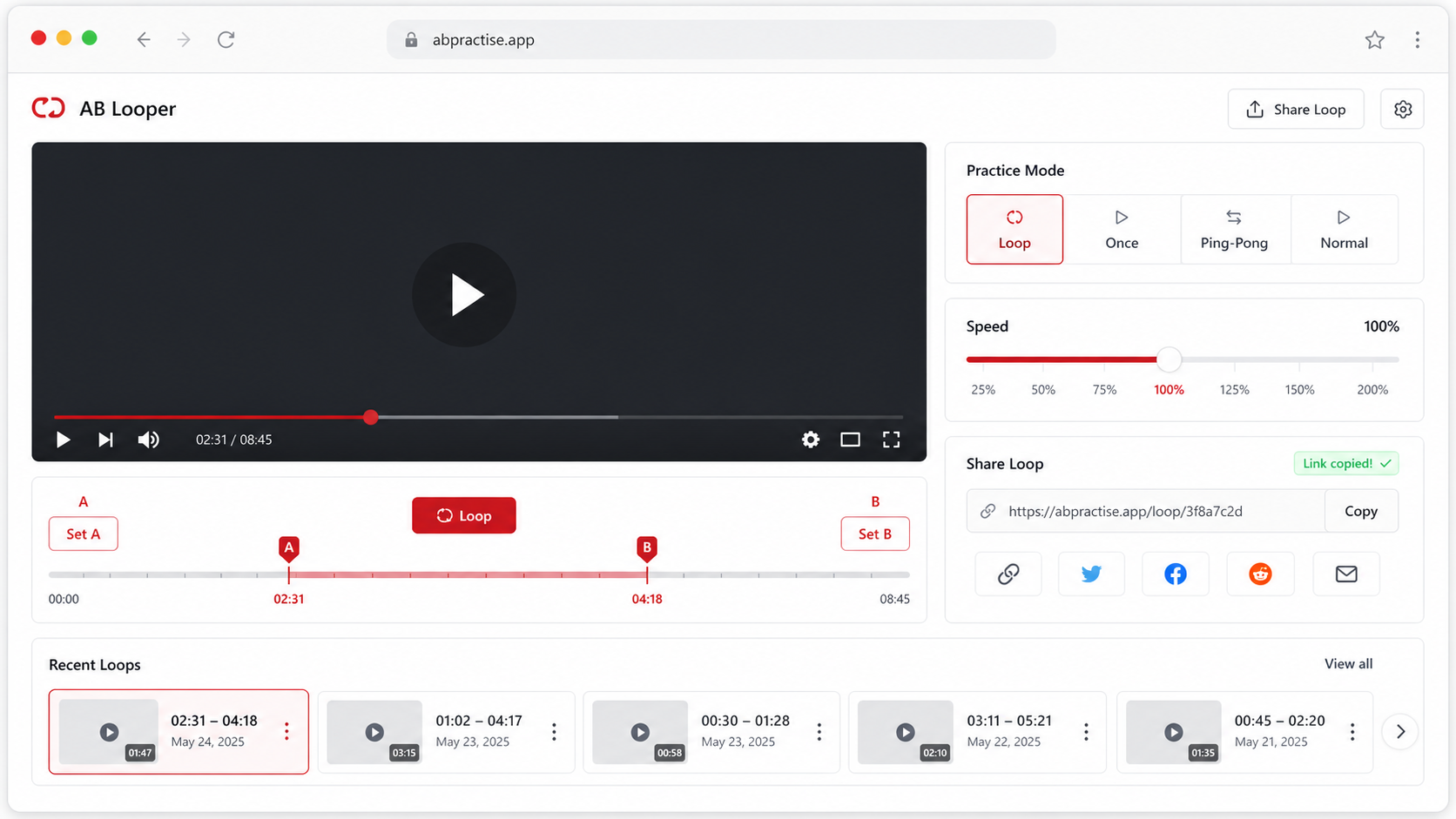
Paste a video, drag A and B on the timeline, then play or share the loop.

Wish You Were Here Guitar Lesson
Demo from JustinGuitar Songs. Click to play it, or paste any YouTube link to replace it.
Advanced options Modes, mirror, loop count, fine tune
Practice modes
Fine tune
Exact speed
Practice options
Recent loops
Current loop
Wish You Were Here Guitar Lesson
12.5s - 24.5s · 0.75x
Copy or share the exact loop you are editing.
Page-specific workflow
AB repeat is for exact boundaries
A normal repeat button restarts the whole video. AB repeat gives you two boundaries so a practice section starts and ends at the exact moments you choose.
Precise phrase
A at 0:12.5, B at 0:24.5, speed 0.75x.
Micro correction
Use +/- 0.1s for tight phrase boundaries.
Practice share
Copy a loop URL after the markers are stable.
How it works
How to use YouTube AB Loop
Load a YouTube video and play to the first boundary.
Click Set A, play to the second boundary, then click Set B.
Use fine tune controls, speed controls, and sharing once the loop feels correct.
Use cases
Practical ways to use YouTube AB Loop
A normal repeat button restarts the whole video. AB repeat gives you two boundaries so a practice section starts and ends at the exact moments you choose.
Language timing
Place A before the sentence starts and B after the speaker finishes.
Music practice
Loop a riff or drum fill with enough lead-in for the next repeat.
Movement practice
Repeat the exact choreography count instead of replaying long sections.
Listening drills
Repeat the same phrase several times while changing speed only after the boundary feels accurate.
A/B markers
Separate controls for start and end points keep the practice range clear.
0.1s adjustments
Nudge boundaries when the section starts between obvious timeline clicks.
Keyboard-ready flow
The layout keeps repeat, speed, and fine tune actions close together.
Exact speed presets
Use common practice speeds and fine steps when 1.25x is too coarse.
Tips and related tools
Make each repeat easier to practice
- If a section starts on a beat, set A slightly before the beat to avoid cutting the attack.
- Use 0.75x first when learning, then move back to 1x.
- Keep a named recent loop for the section you practice every day.
- When the loop clicks or feels rushed, move B a little later instead of slowing the whole video first.
- If you are comparing two takes, use the same A and B points before judging timing or phrasing.
Loop part of a YouTube video
Repeat a single section with start and end points.
Slow down YouTube video
Practice at 0.25x to 2x without leaving the loop.
Repeat YouTube sentence
Loop one sentence and add a pause for shadowing.
Mirror YouTube video for dance
Flip choreography and repeat short practice sections.
FAQ
Common questions about YouTube AB Loop
What does AB loop mean on YouTube?
How is AB loop different from YouTube repeat?
Can I use AB loop with playback speed?
Can I make very small timing changes?
Does AB loop work for language learning?
Is this different from looping a whole video?
Can I save an AB loop?
What should I do if the loop starts too late?
Can the shared AB loop include mirror mode?
Ready to practice a precise YouTube loop?
Load a video, set the practice range, and keep the useful part on repeat.