Slow Down YouTube Video
Use slow practice when a section is too fast at normal speed but still needs to stay inside a repeatable loop.
Loop Builder
Paste a YouTube URL to slow down and loop
Paste a video, drag A and B on the timeline, then play or share the loop.

How to Practice Guitar SLOWLY to get Better FASTER
Demo from Relax and Learn Guitar. Click to play it, or paste any YouTube link to replace it.
Advanced options Modes, mirror, loop count, fine tune
Practice modes
Fine tune
Exact speed
Practice options
Recent loops
Current loop
How to Practice Guitar SLOWLY to get Better FASTER
7.5s - 15.5s · 0.75x
Copy or share the exact loop you are editing.
Page-specific workflow
Slow down the hard part, not the whole practice session
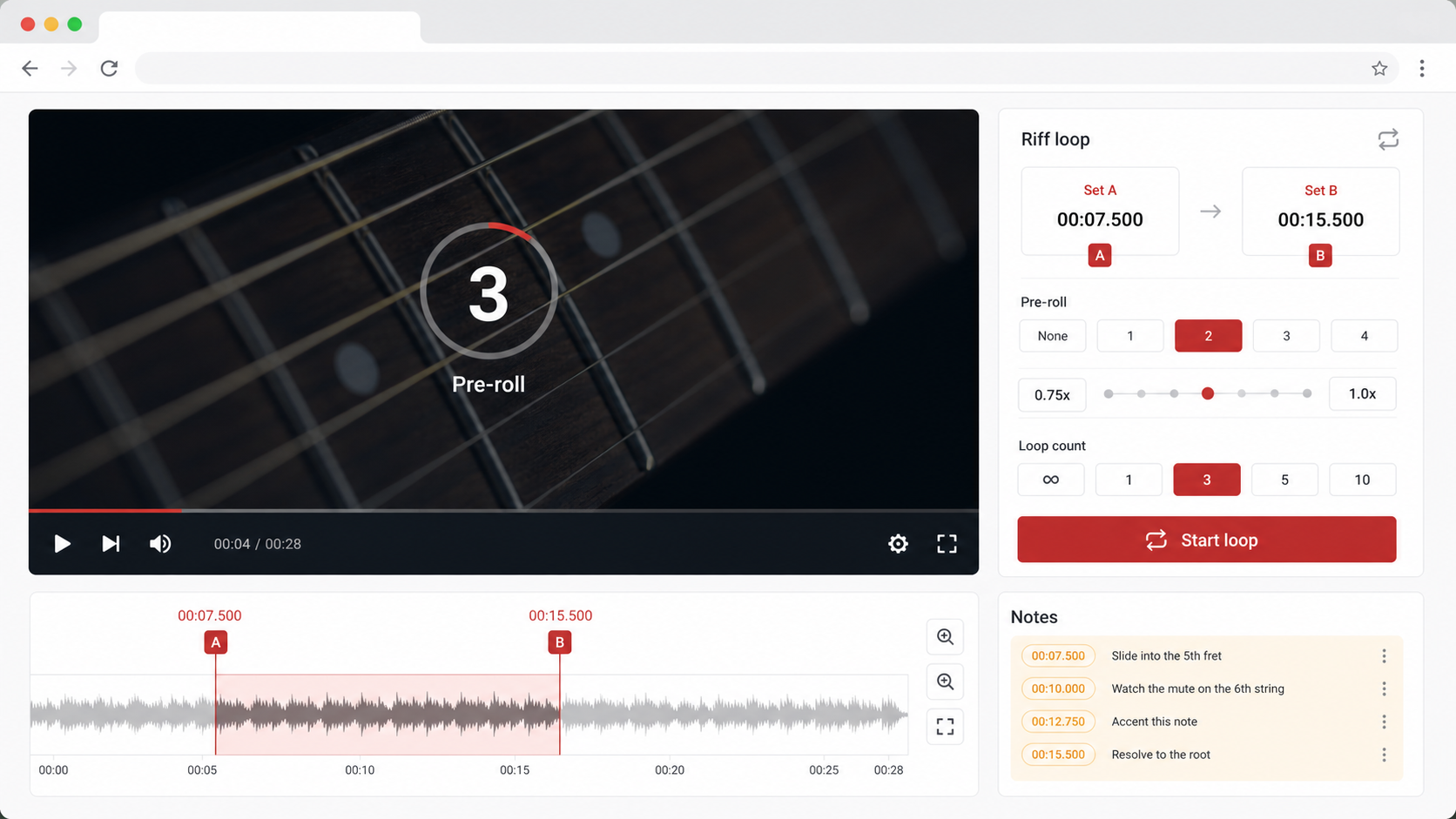
Slow practice works best when the difficult part is isolated. Set an A/B range, lower the playback speed, then increase speed only after the repeat is clean.
0.5x first pass
Use half speed to learn the motion or phrase.
0.75x rebuild
Repeat the section three times before going faster.
1x check
Return to normal speed after the loop feels consistent.
How it works
How to use Slow Down YouTube Video
Load the YouTube video and mark the part that feels too fast.
Choose a slower speed such as 0.5x or 0.75x.
Repeat the section, then raise the speed when you can complete it cleanly.
Use cases
Practical ways to use Slow Down YouTube Video
Slow practice works best when the difficult part is isolated. Set an A/B range, lower the playback speed, then increase speed only after the repeat is clean.
Guitar and piano
Slow down riffs, hand changes, or chord transitions while keeping the loop short.
Drums
Repeat fills and sticking patterns at a controllable speed.
Tutorials
Slow down fast mouse movements, editing steps, or software walkthroughs.
Sports and movement
Replay a swing, footwork pattern, or technique breakdown slowly before trying it at full speed.
0.25x to 2x speeds
Pick a playback rate that fits the current practice stage.
Pre-roll lead-in
Start slightly before the loop so the repeat does not feel sudden.
Loop count
Use repeat counts when you want a fixed practice set instead of endless playback.
Small speed steps
Use 0.10x and 0.25x changes when the next jump feels too large.
Tips and related tools
Make each repeat easier to practice
- Do not jump from 0.5x straight to 1x if the movement still feels unstable.
- Use pre-roll for music so you can feel the tempo before the loop starts.
- If YouTube does not accept a speed, choose the nearest supported speed button.
- Move up only after several clean repeats, not after one lucky pass.
- Keep the same A/B loop while changing speed so you can compare progress honestly.
FAQ
Common questions about Slow Down YouTube Video
Can I slow down a YouTube video without changing the page?
Can I slow down only part of the video?
Can I speed a YouTube video up too?
What speed should I use for practice?
Why are there 0.10x speed buttons?
Does changing speed change the loop timestamps?
Does slow practice work on mobile?
Can I use slow down mode for lectures?
Will audio quality stay perfect at very slow speed?
Ready to practice a precise YouTube loop?
Load a video, set the practice range, and keep the useful part on repeat.